Live event access — simple enough for first-time staff, powerful enough for enterprise
The world they'd adapted to
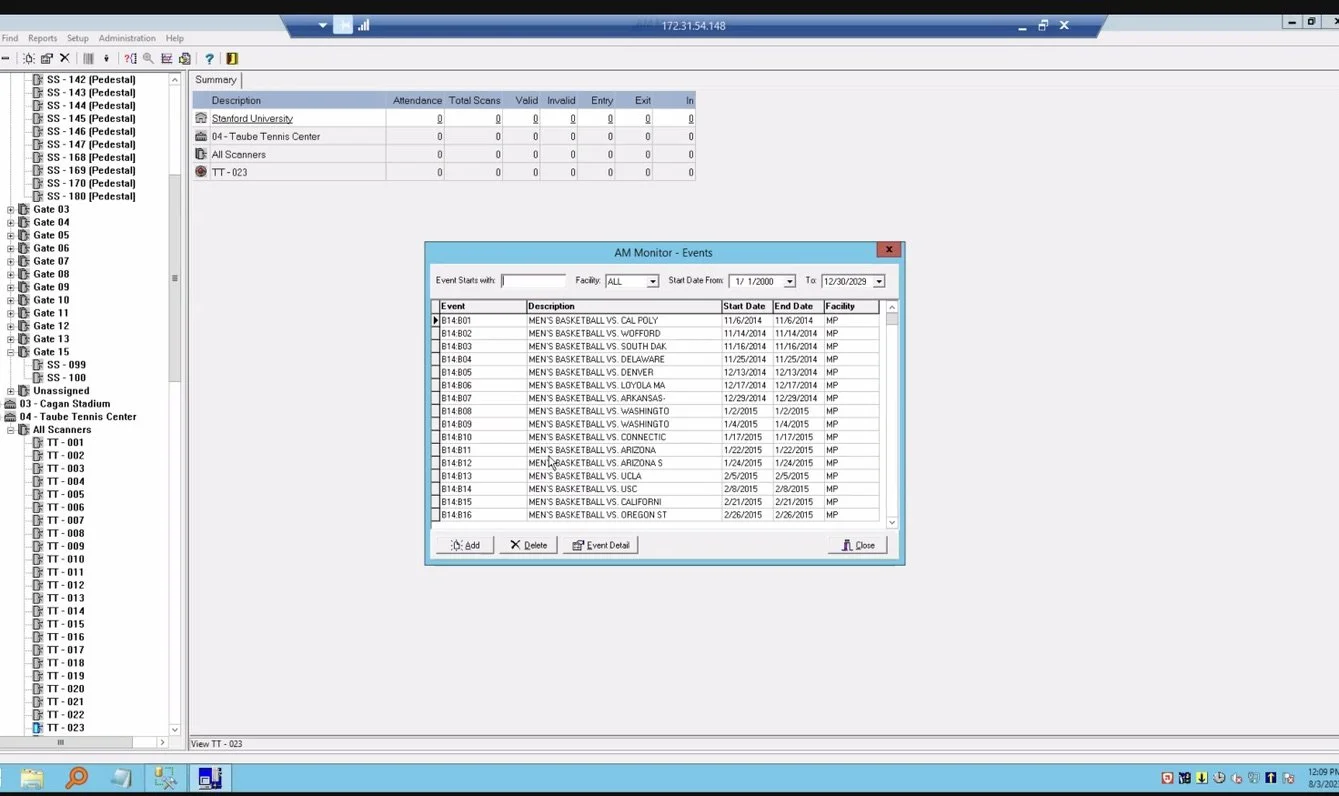
Paciolan's access control software was built in the 1990s. By the time I got to it, decades of live-event clients had quietly shaped their entire jobs around it — building manual workarounds, memorizing terminology that made sense to no one, and absorbing friction that had simply become part of running an event entrance.
It worked. Technically. But "it works" was carrying a lot of weight. What it really meant was that a generation of operators had become fluent in a tool's quirks — and that fluency had become a job requirement. You needed institutional knowledge just to validate a ticket at a gate. That's the kind of cost that hides in plain sight, because everyone who feels it has stopped noticing it.
The goal was to redesign it from the ground up: modernize the architecture, automate the manual parts, and give clients a real-time connected tool they could actually understand and trust — not decode.
Months in learning mode
I led the redesign end to end, working across product managers, engineers, business stakeholders, and industry experts. But before I touched a single frame, I spent months just learning — because this was a behavior problem at least as much as a design one.
User interviews with super users and industry experts — the people who'd been running entrances on this system for years and knew every workaround by heart.
Competitive analysis, journey mapping, and user flow work to understand how access control actually moves from setup to the moment a ticket gets scanned.
I sat with the business team to understand the commercial constraints — what the tool had to support contractually and operationally, not just what would feel clean.
I studied the old tool not as a design problem but as a behavior problem. These were longtime users who'd built their workflows around something deeply flawed — and those workflows were load-bearing.
The hardest part was the last one. Long-term clients had essentially become fluent in the system's quirks, which meant asking them what they needed wasn't enough — they'd answer in the language of the tool they wanted to replace. I had to ask the right questions, challenge assumptions, and help them imagine something different from what they'd always known.
Maze tests did a lot of this work: putting concrete visuals in front of people gave them something to react to, instead of asking them to describe an ideal they'd never seen. And Zoom walkthroughs of their day-to-day showed us exactly where the friction lived — the small, repeated frustrations nobody bothered to report because they'd accepted them as the cost of the job.
The tension
This was the first feature for an entirely new enterprise tool. The stakes were high and the unknowns were real — and early on, that surfaced as friction with the dev team.
Early on, the dev team pushed back on the initial direction — complex backend requirements, a new component library to build from scratch, and some miscommunication during early brainstorming.
Rather than treating that as a blocker, I treated it as a design problem.
I renegotiated what to prioritize, and came back with designs the team could actually get behind — not a wish list handed over a wall, but a direction that respected what the backend could realistically support.
Then I established a more transparent workflow so engineers felt included in decisions rather than handed specs. The result was a shared sense of ownership over what we were building — which, on a 0→1 enterprise tool, matters more than any single screen.
What I designed
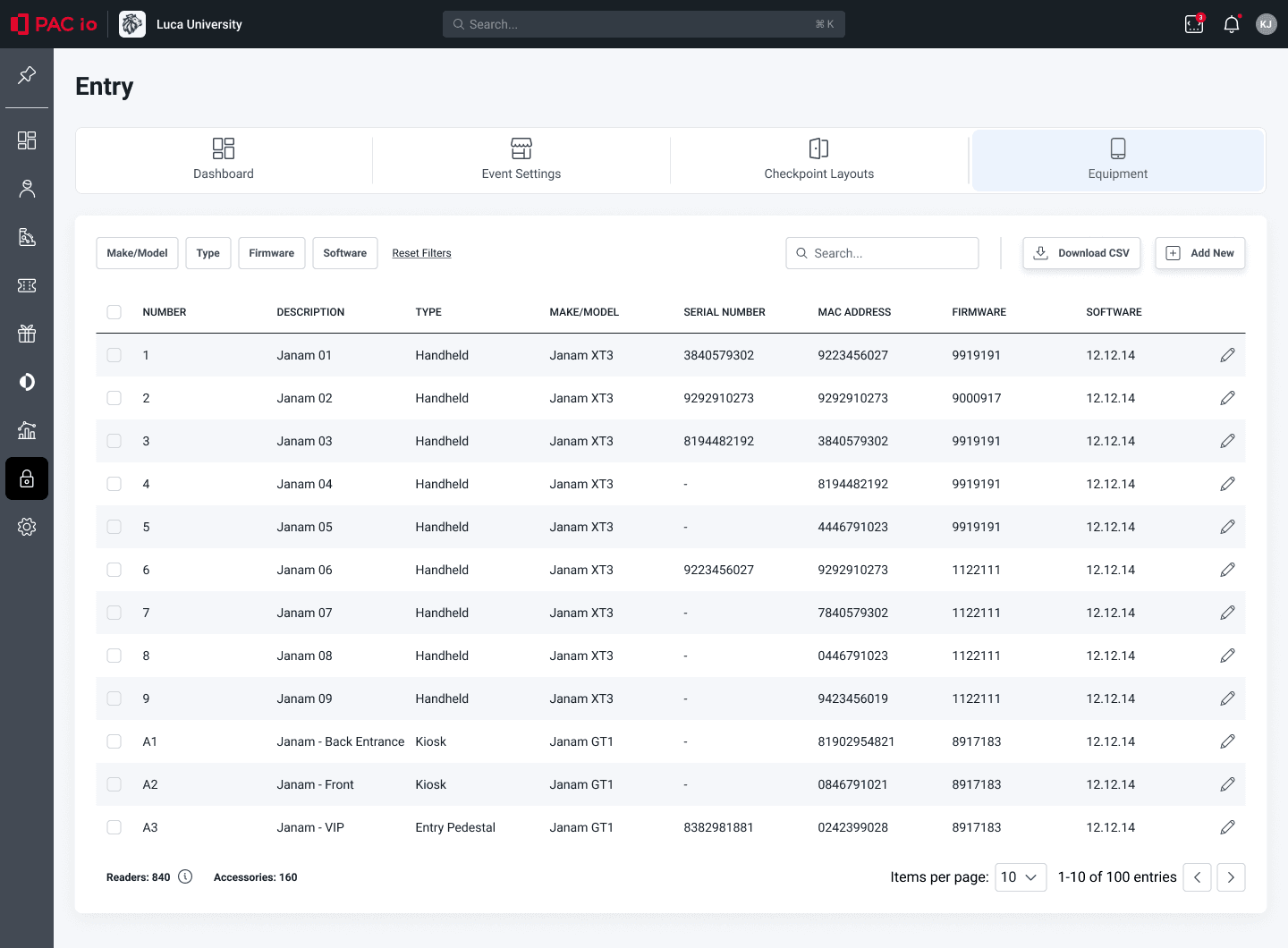
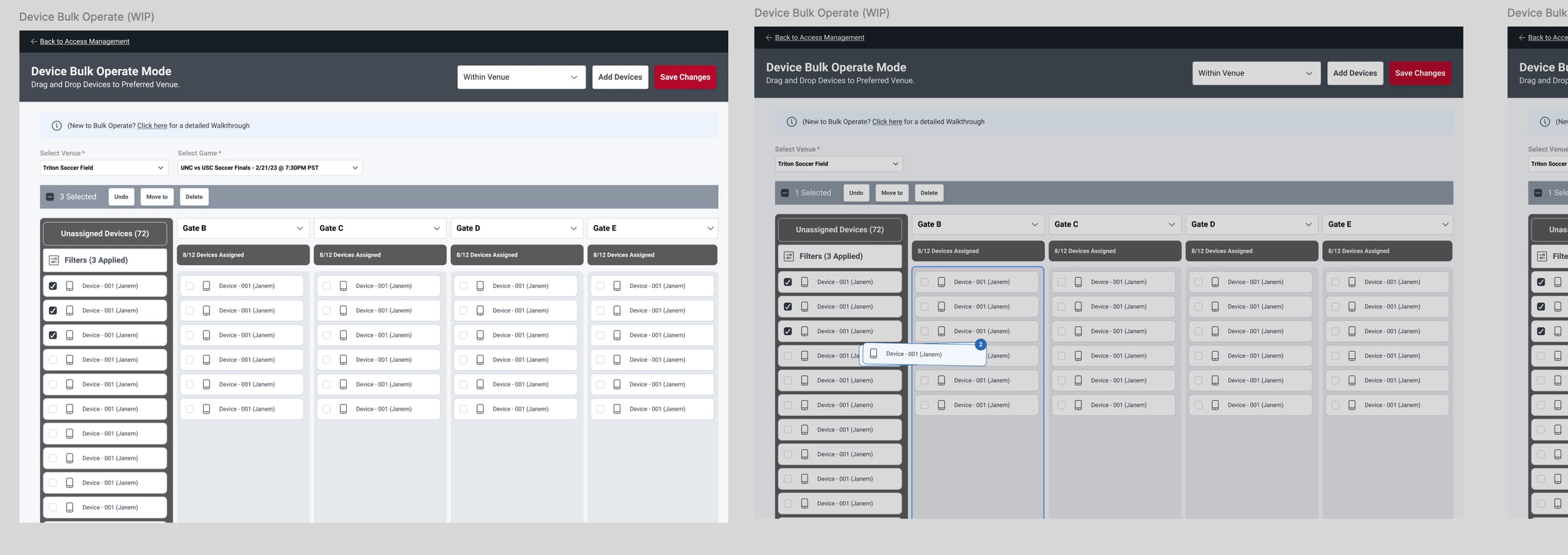
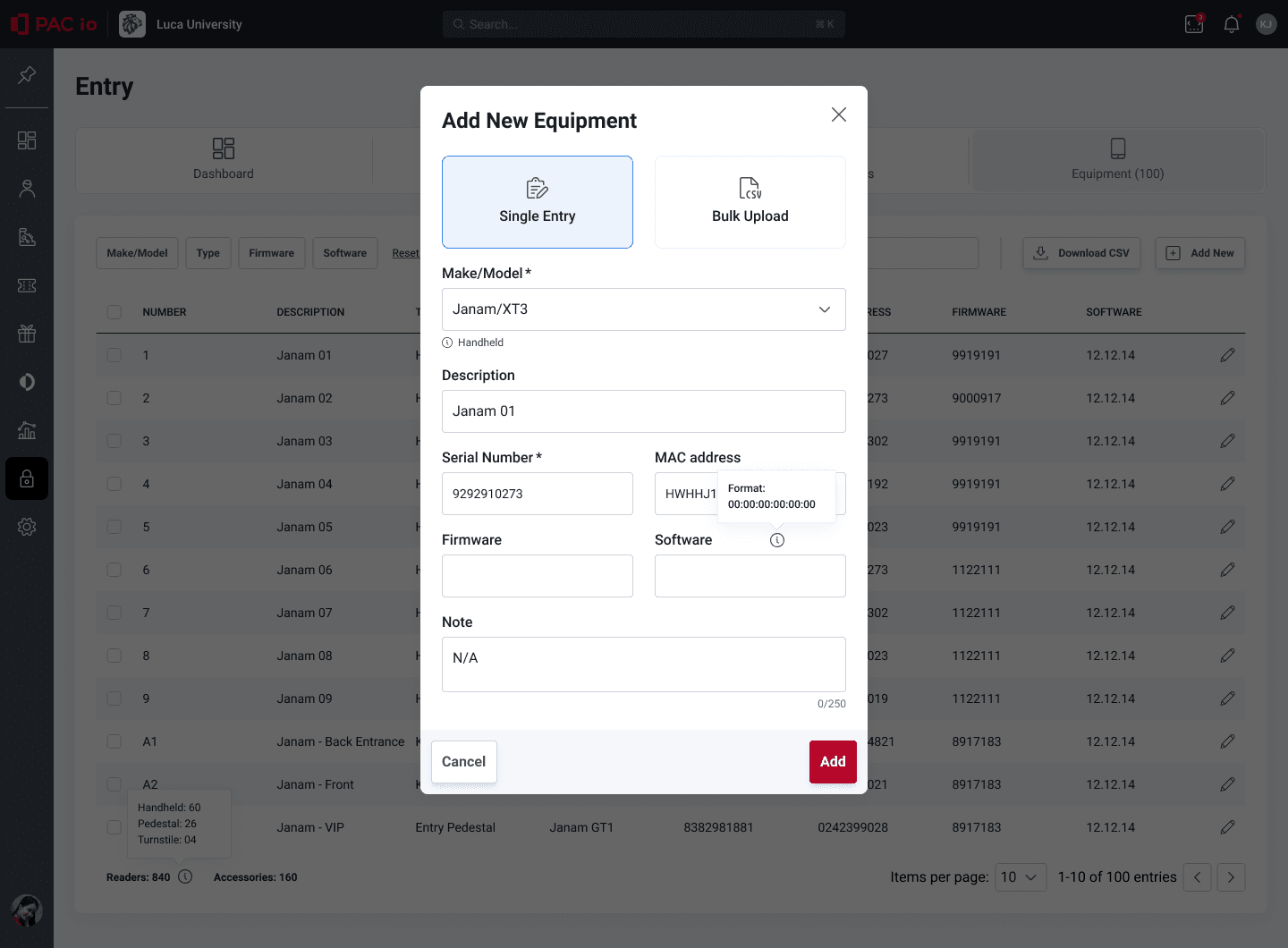
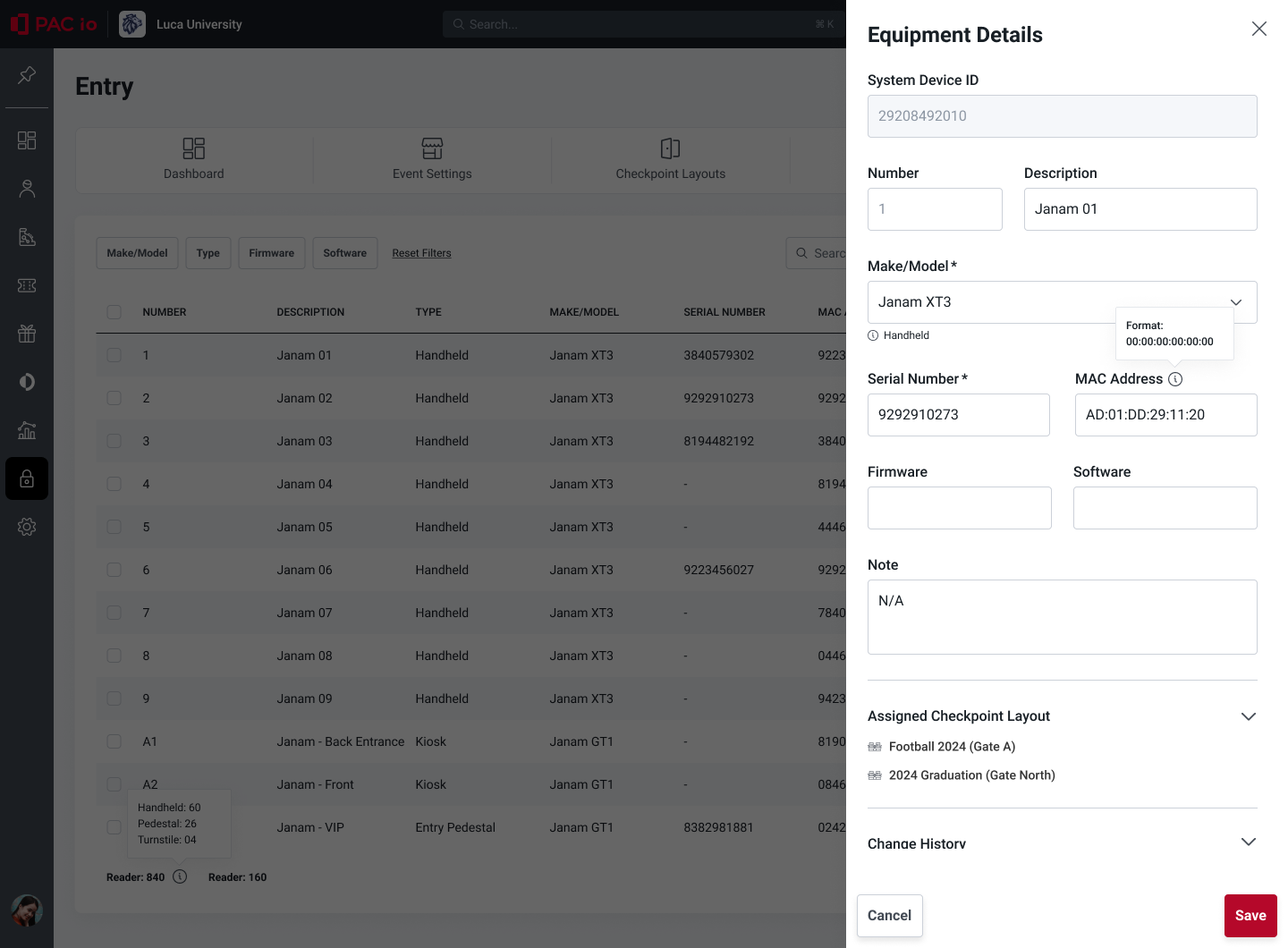
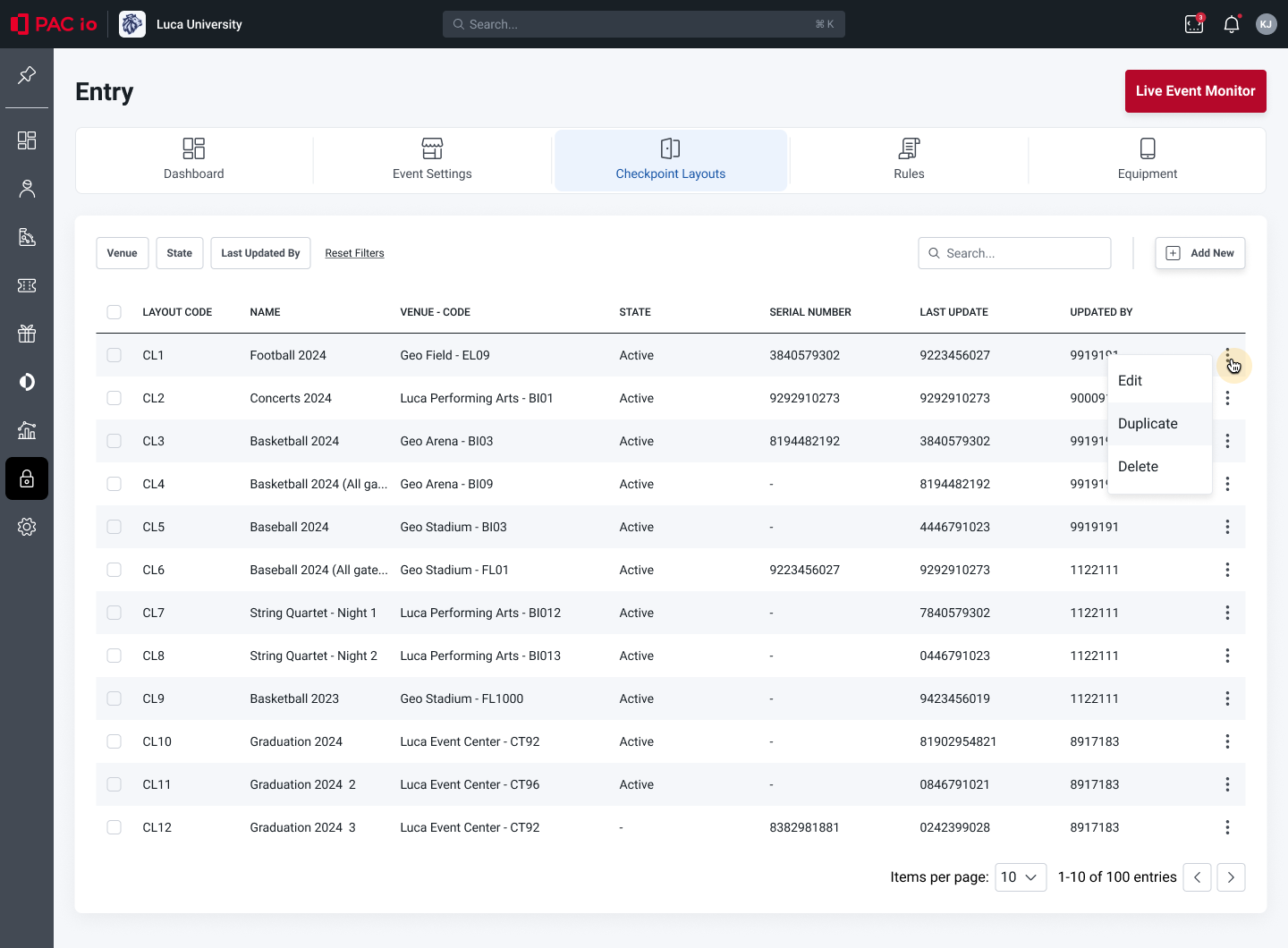
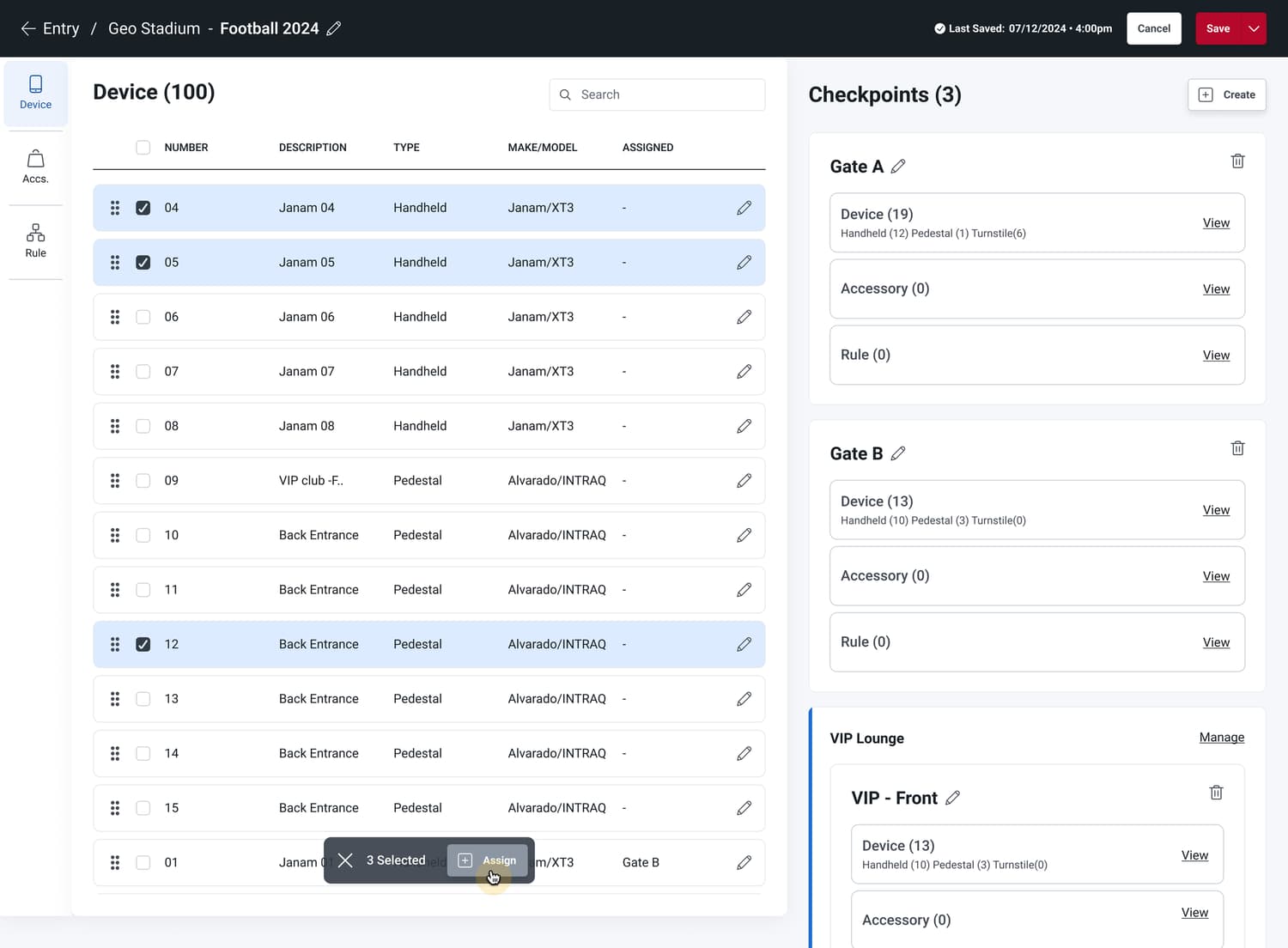
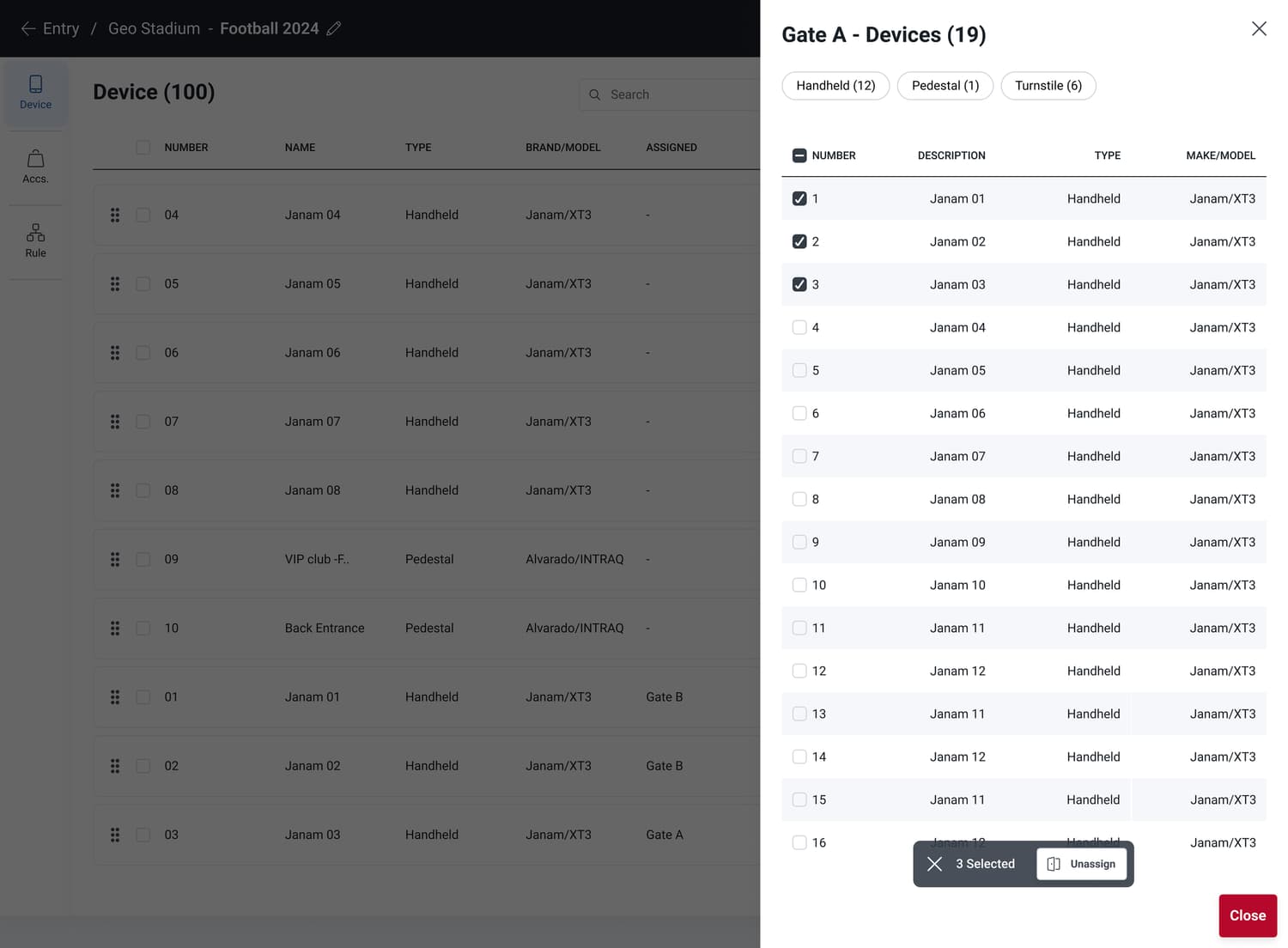
The redesigned system gives live-event clients a tool they can reason about: define ticket validations, assign devices to entrances, and monitor events in real time — without keeping a mental map of the old system's quirks.
What changed
What was once a heavily manual, error-prone process became something automatable, auditable, and learnable on day one — a new client could get up to speed without needing a legacy decoder ring.
The bigger win is what it replaced: decades of workarounds, swapped for something clients can actually use without tribal knowledge. No more job description that quietly includes "remembers how the 1990s tool behaves."
And the process itself modeled what good cross-functional collaboration looks like — transparent, adaptive, and rooted in real user behavior rather than assumptions. On a 0→1 enterprise build, that was the part I was proudest of.