Dispatch & tracking for non-emergency medical transport
Triage by text
Before Bambi, NEMT dispatch ran on phone calls and spreadsheets. A team coordinating dozens of patient rides — dialysis, chemo, post-op pickups — would juggle three text threads, a paper schedule, and a separate billing tool. When a driver called out at 7am, it was triage by text. When a patient called to reschedule, the change might get written down. Or might not.
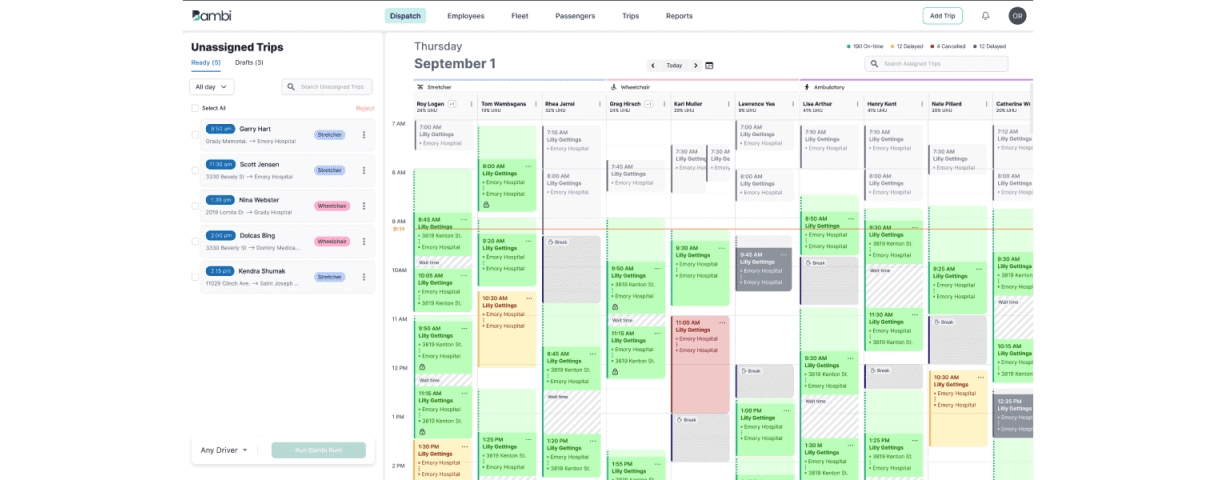
No one had a screen that showed the full day. So I designed one.
One screen, the whole day
How do you give a dispatcher one screen that holds the entire day — drivers, patients, changes — without burying them in it?
The founders gave me end-to-end ownership: discovery, research, the dispatcher dashboard itself, and the design system foundation that would carry every screen after.
What I designed
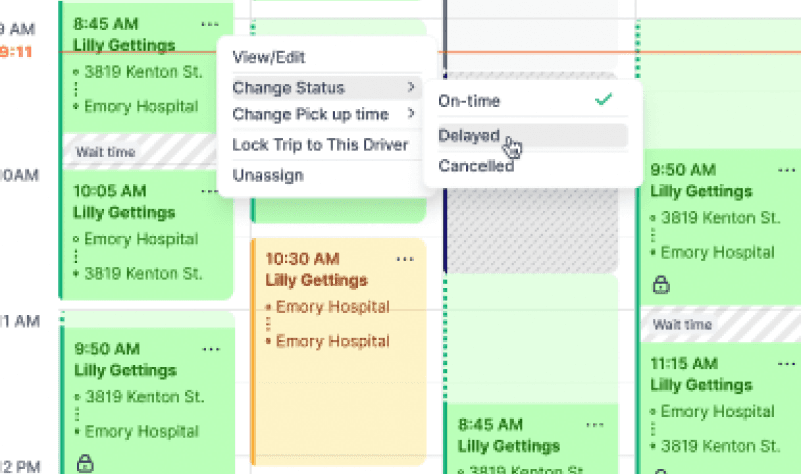
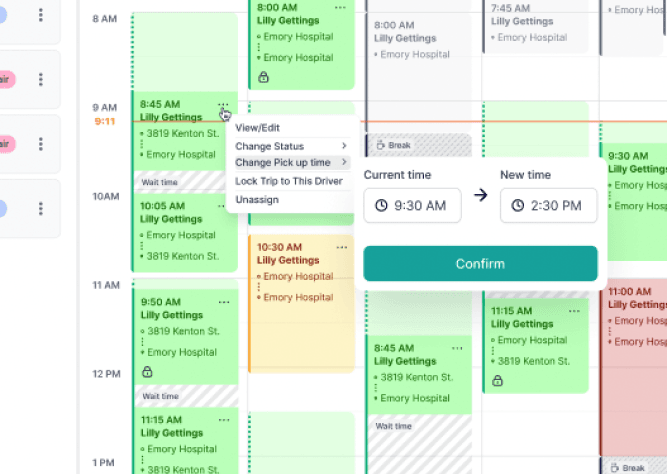
- One screen for the whole day. Drivers, patient rides, schedule changes, alerts — surfaced in a single live dashboard. Sortable, filterable, never more than two clicks from a reschedule.
- The first design system Bambi ever had. Built in Storybook so engineers could ship the dispatcher view first and grow from there.
- AI that handles the boring parts. So humans handle the people.
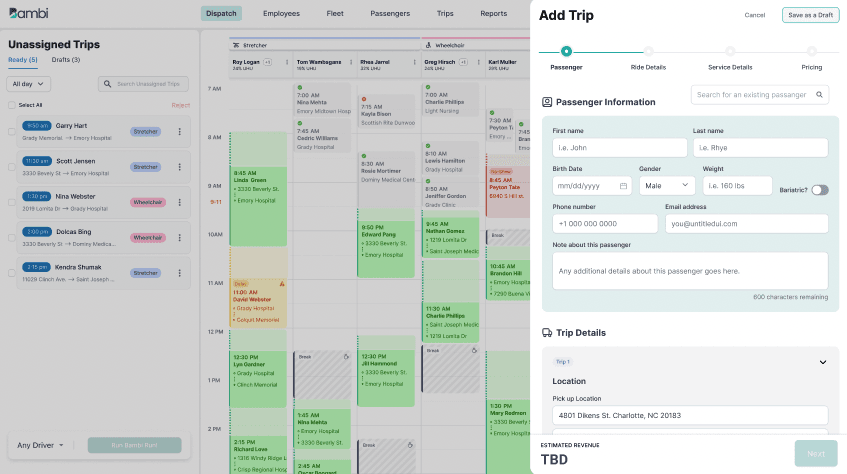
A dispatcher is always mid-something. Every new ride or change is an interruption — so how do you let them edit without losing the day they're watching?
The rule I held was simple: never leave the dashboard.
A new ride or a change comes in as a slide-over, not a new page — so the live day behind it never disappears while the dispatcher fills in the details. And the most frequent moves — assign, reassign, flag, cancel — live at the row, on the dashboard itself, instead of behind a settings screen.
The day stays on screen. The edit happens on top of it.
What changed
- 34% more efficient. Clients reported their dispatchers got through more work in less time after rollout.
- Onboarding stopped being a Tuesday-long ordeal. New hires could read the dashboard on day one.
- Fewer dropped calls. Fewer missed pickups. Real outcomes for patients waiting at curbs.